
iPhone, iPad and Apple Watch
Study all 128 questions of the 2025 U.S. civics test, answer out loud like the real interview, let Siri quiz you hands free, and switch everything to Spanish with one tap.
Free to download. Sign in with your CivicsExam account and your progress and Pro come with you.

Scan with your iPhone camera
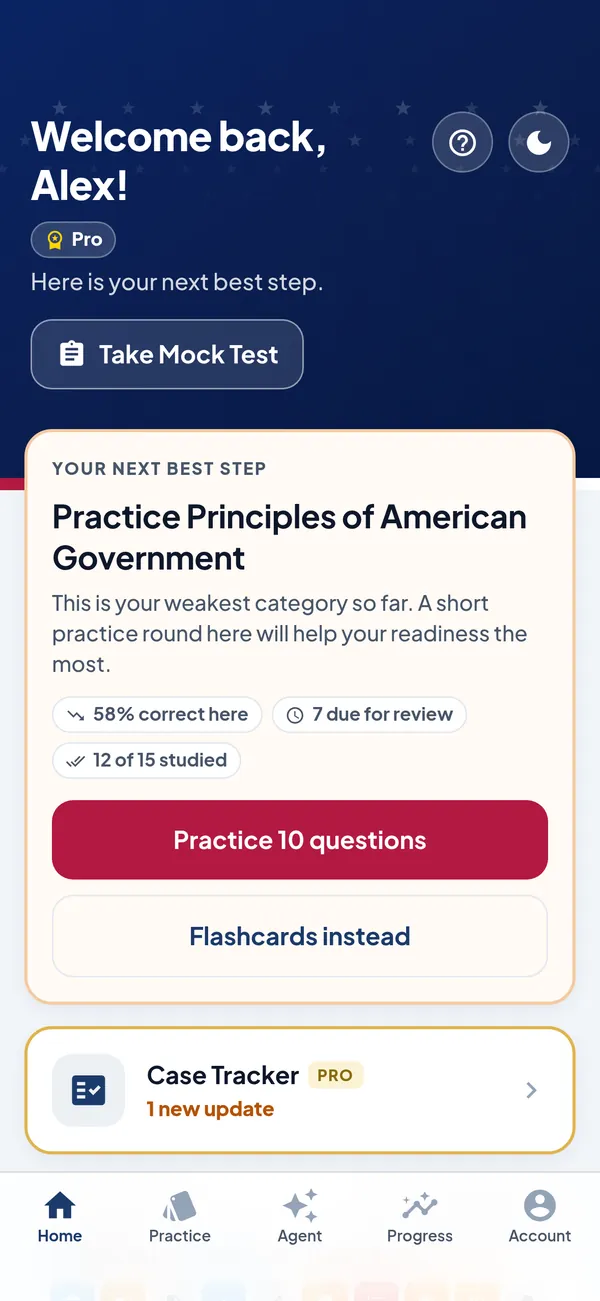
128
official questions (USCIS M-1778)
12 of 20
correct answers to pass
3
devices: iPhone, iPad, Apple Watch
2
languages: English and Spanish
Study by voice with Siri, answer out loud like the interview, switch everything to Spanish, and flip flashcards right on your Home Screen.
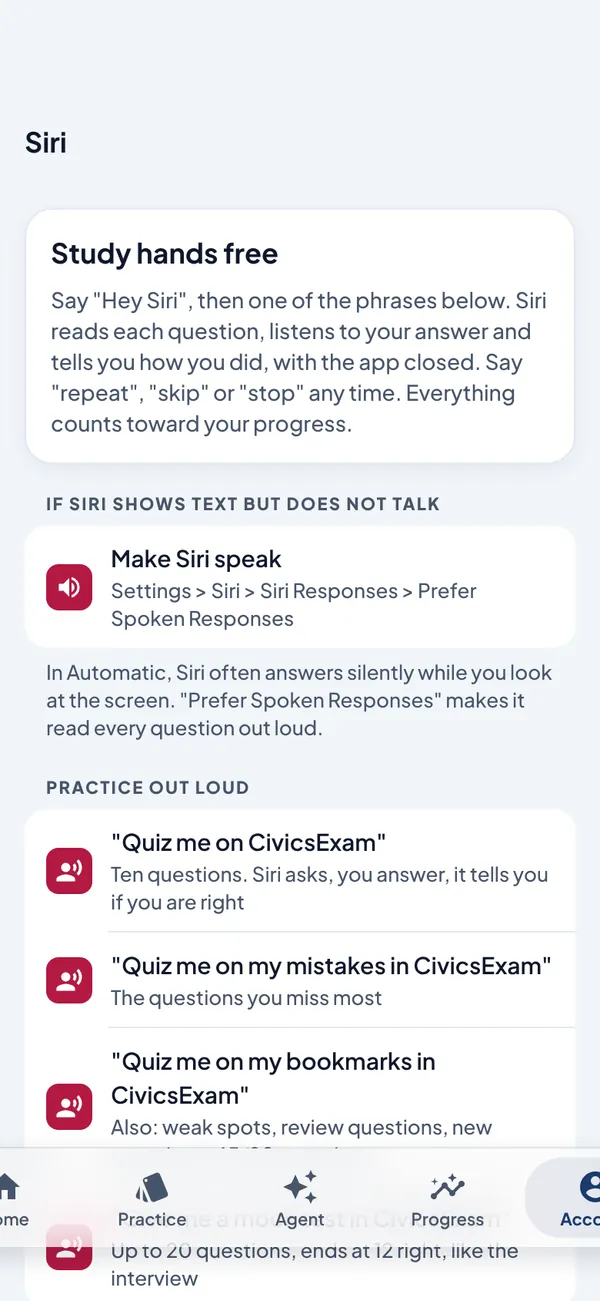
Say "Hey Siri, quiz me on CivicsExam". Siri asks the questions, listens to your answers and tells you right away how you did, with the app closed and your phone in your pocket.
Say "repeat", "skip" or "stop" at any time
A spoken mock test: up to 20 questions, done at 12 right
Right in other words? Apple Intelligence counts it and tells you the official wording
Tell Siri your interview date or field office. It checks with you, then saves it to your account
Speak mode reads each question and listens the way a person would. It waits while you think and moves on the moment your answer is right.
Checks every way your answer could have been heard, so one misheard word does not fail you
Listens for the answer words on each card, like Madison or Jefferson
On devices with Apple Intelligence, a second opinion on the device before it marks you wrong
Hands free: it reads the next question by itself
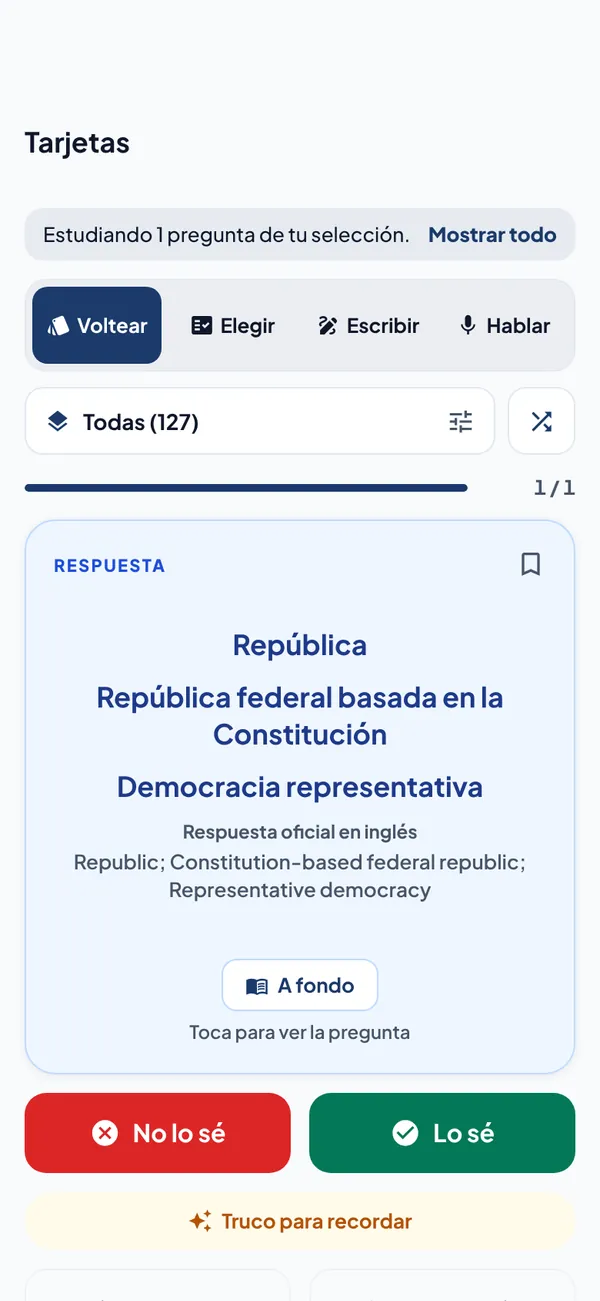
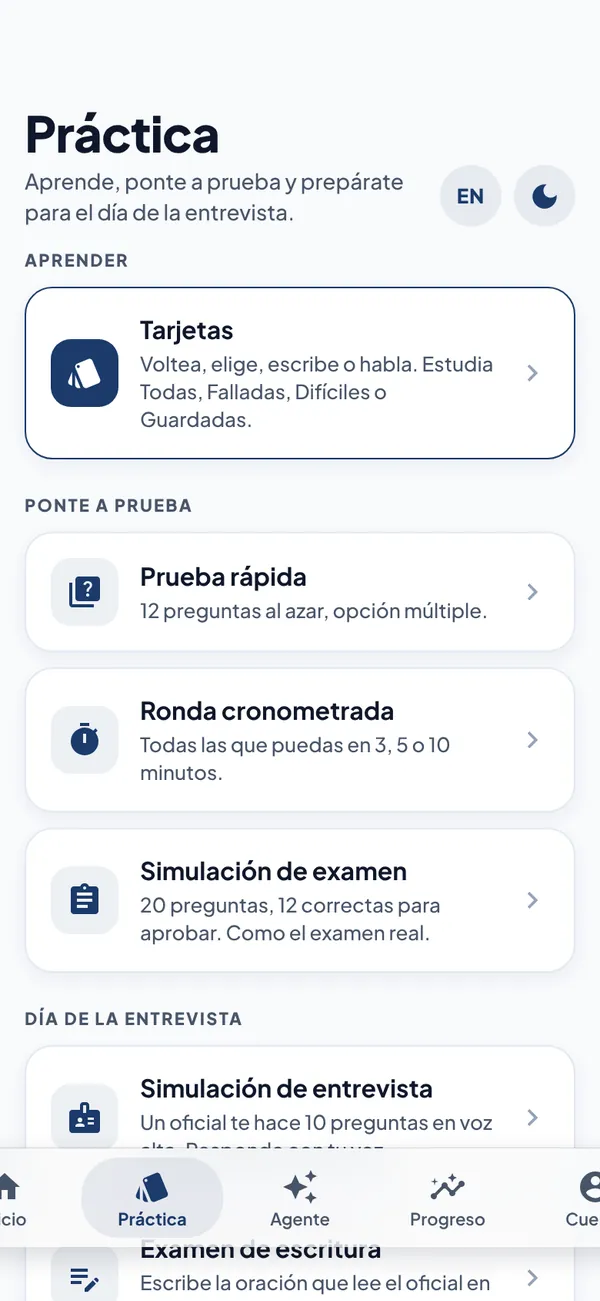
Tap ES at the top of any screen and the whole app switches to Spanish: menus, tips, explanations, and all 128 questions and answers.
Every card also shows the official English answer, the words to say at your interview
Answer in Spanish or in English: both count
Speak mode and the Study Agent listen and reply in Spanish
The English reading and writing test stays in English, like the real one
The Spanish is a study translation. The civics test is given in English, except for applicants who qualify to use an interpreter.
Flip a card and mark it right or wrong without opening the app. Every answer counts toward your progress.
A fresh round of the cards that need work, every day
A flashcard and your interview countdown on the Lock Screen
Press and hold the app icon to jump to Flashcards, the Daily Challenge, the Study Agent or a mock exam
Your streak and readiness at a glance
The same CivicsExam on iPhone, iPad and iPhone Duo, open or closed, in light or dark.
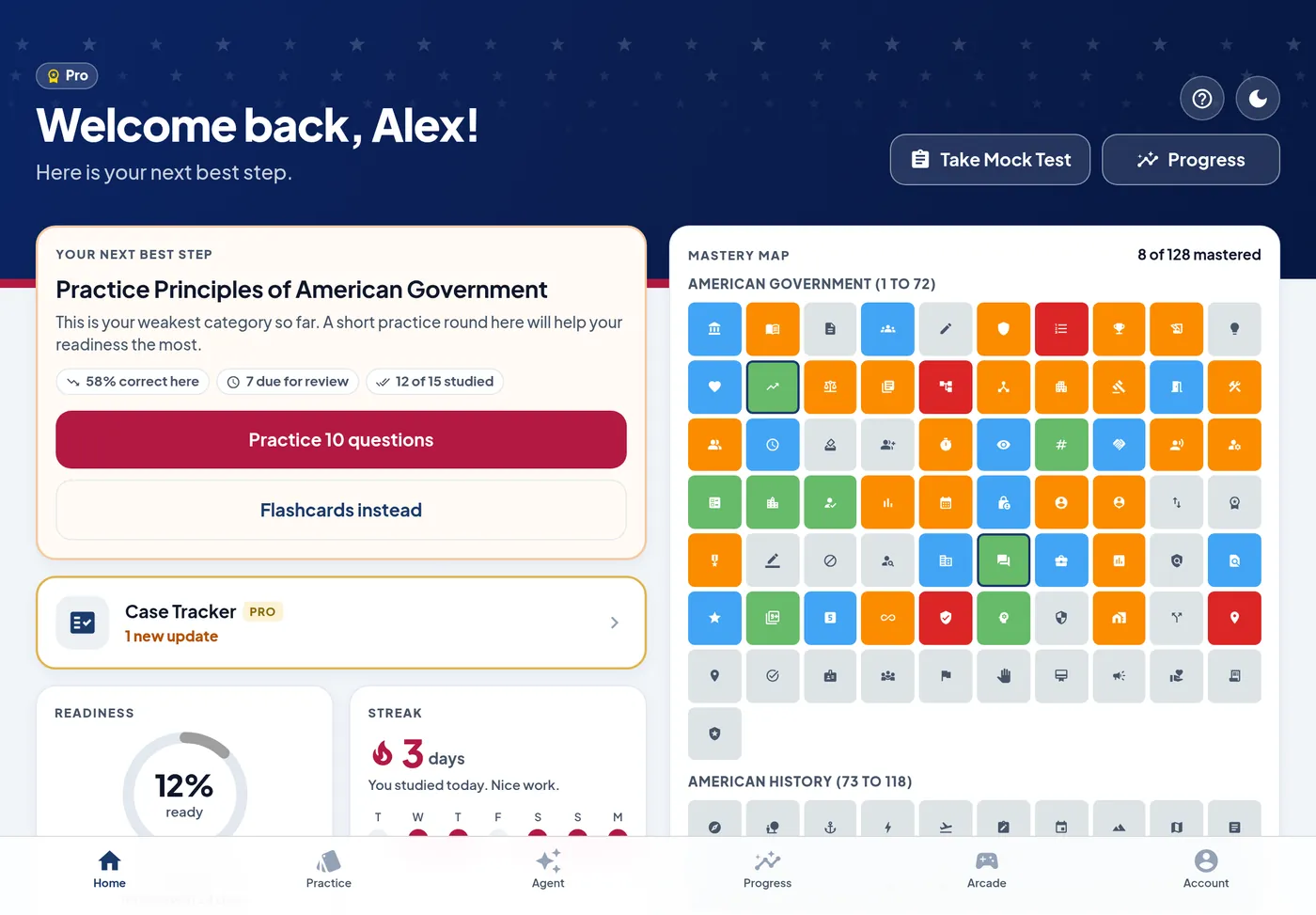
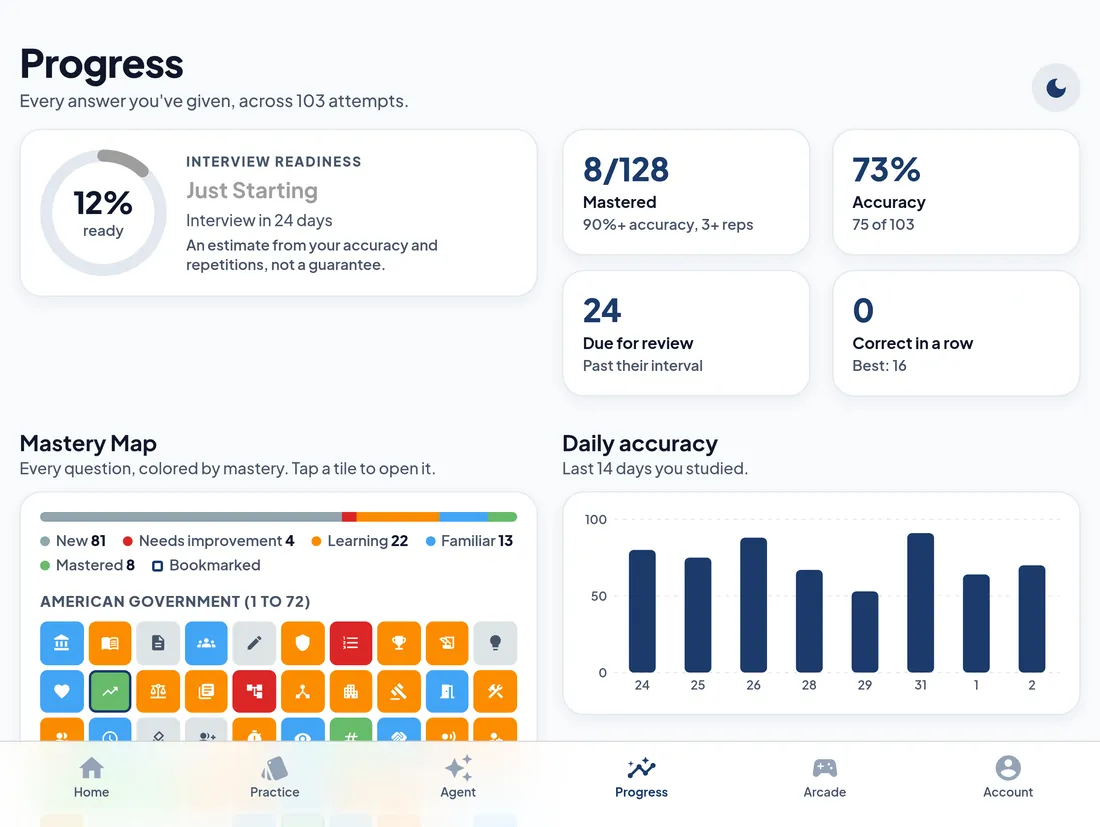
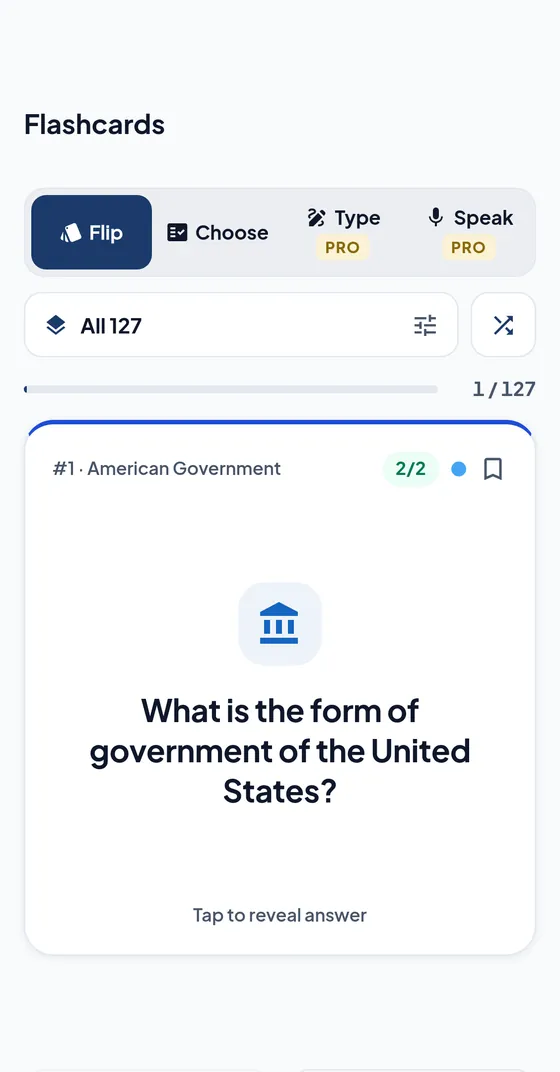
Questions and answers are word for word from the official USCIS document. Answers that change are checked daily and reviewed by a person.
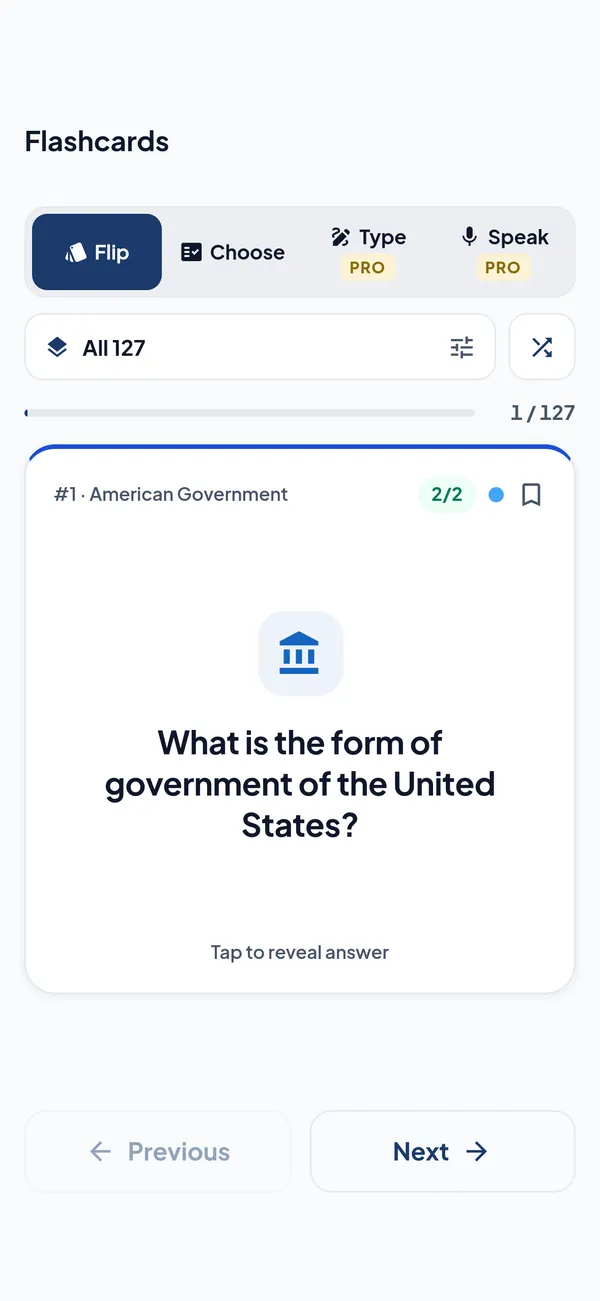
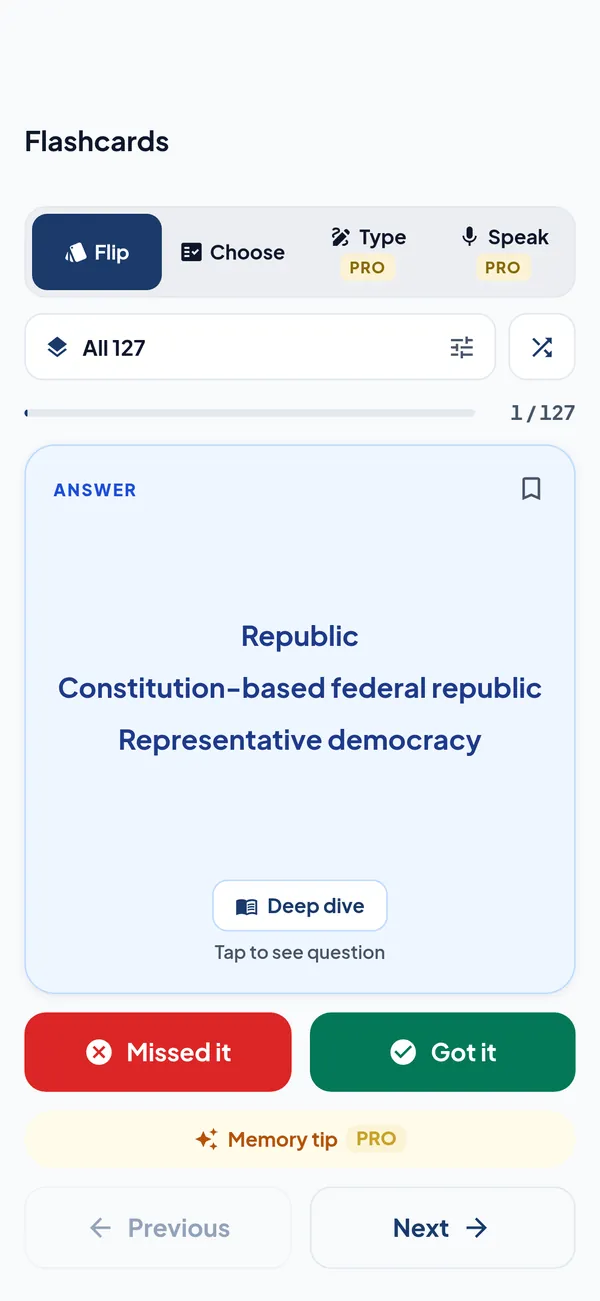
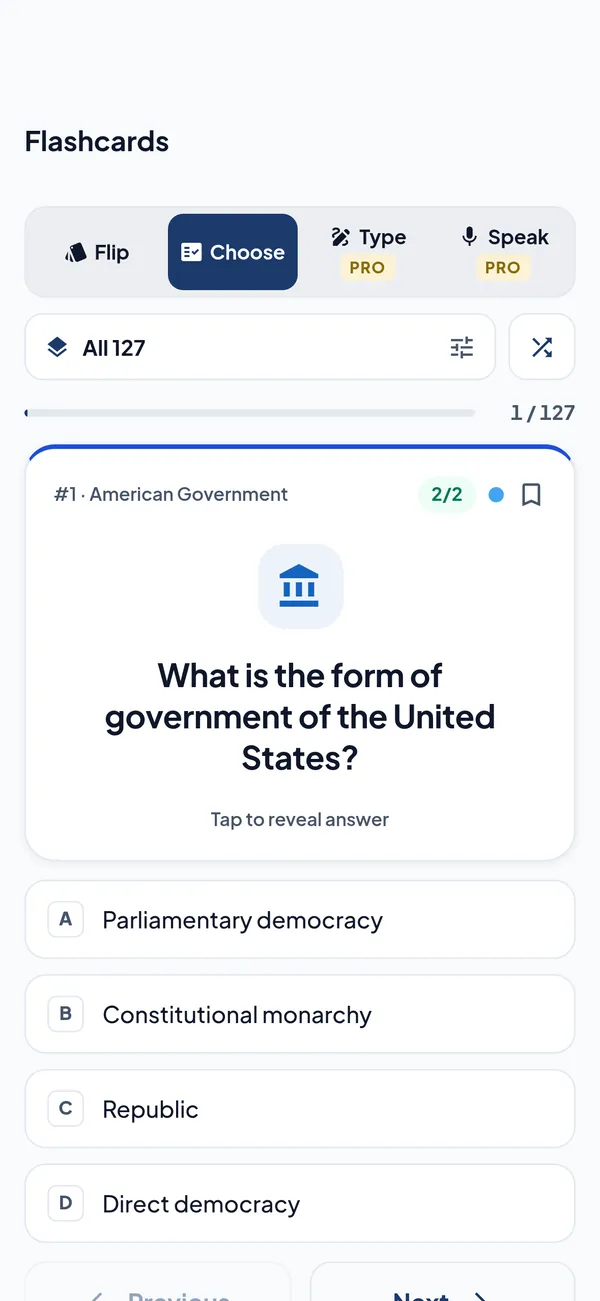
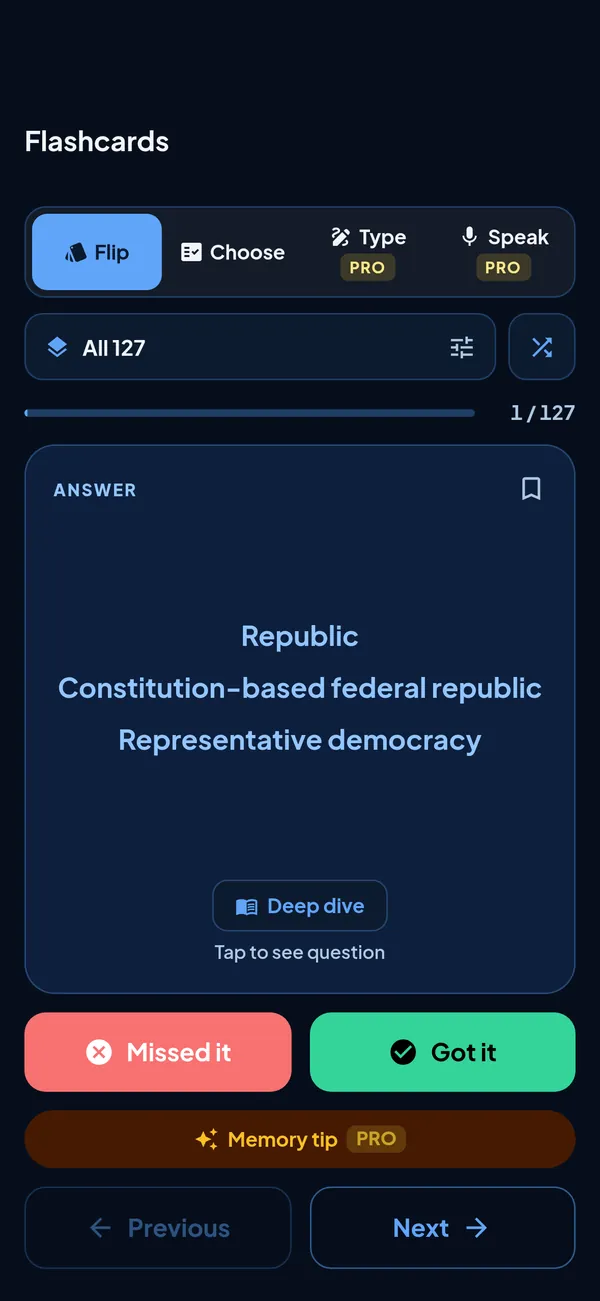
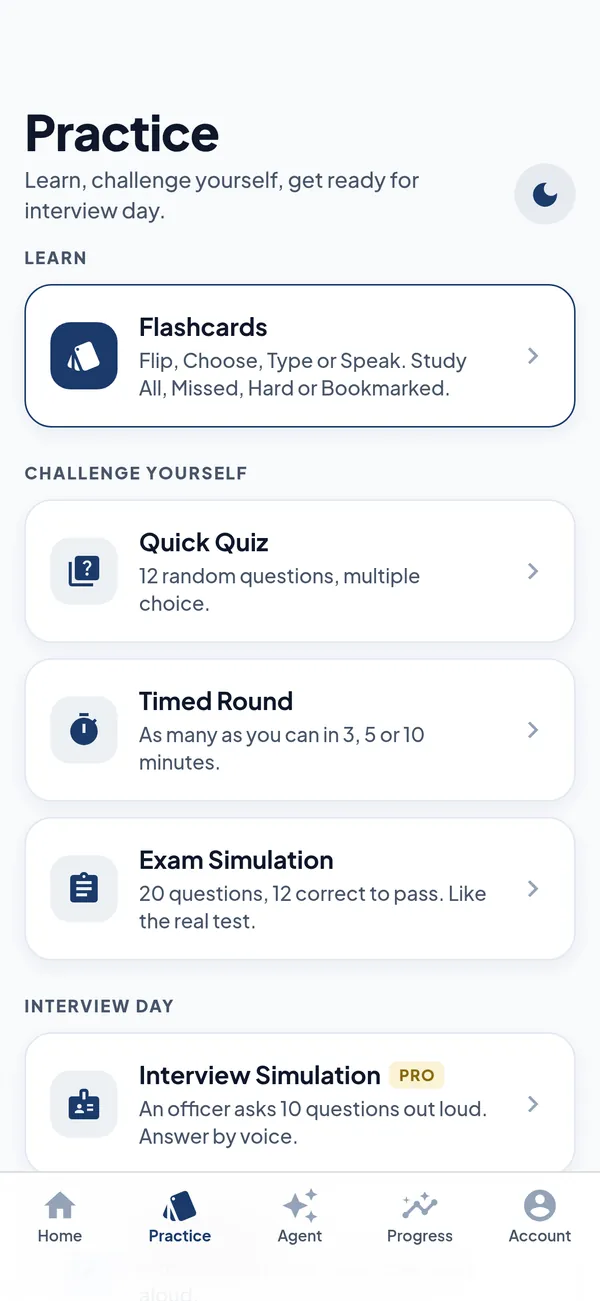
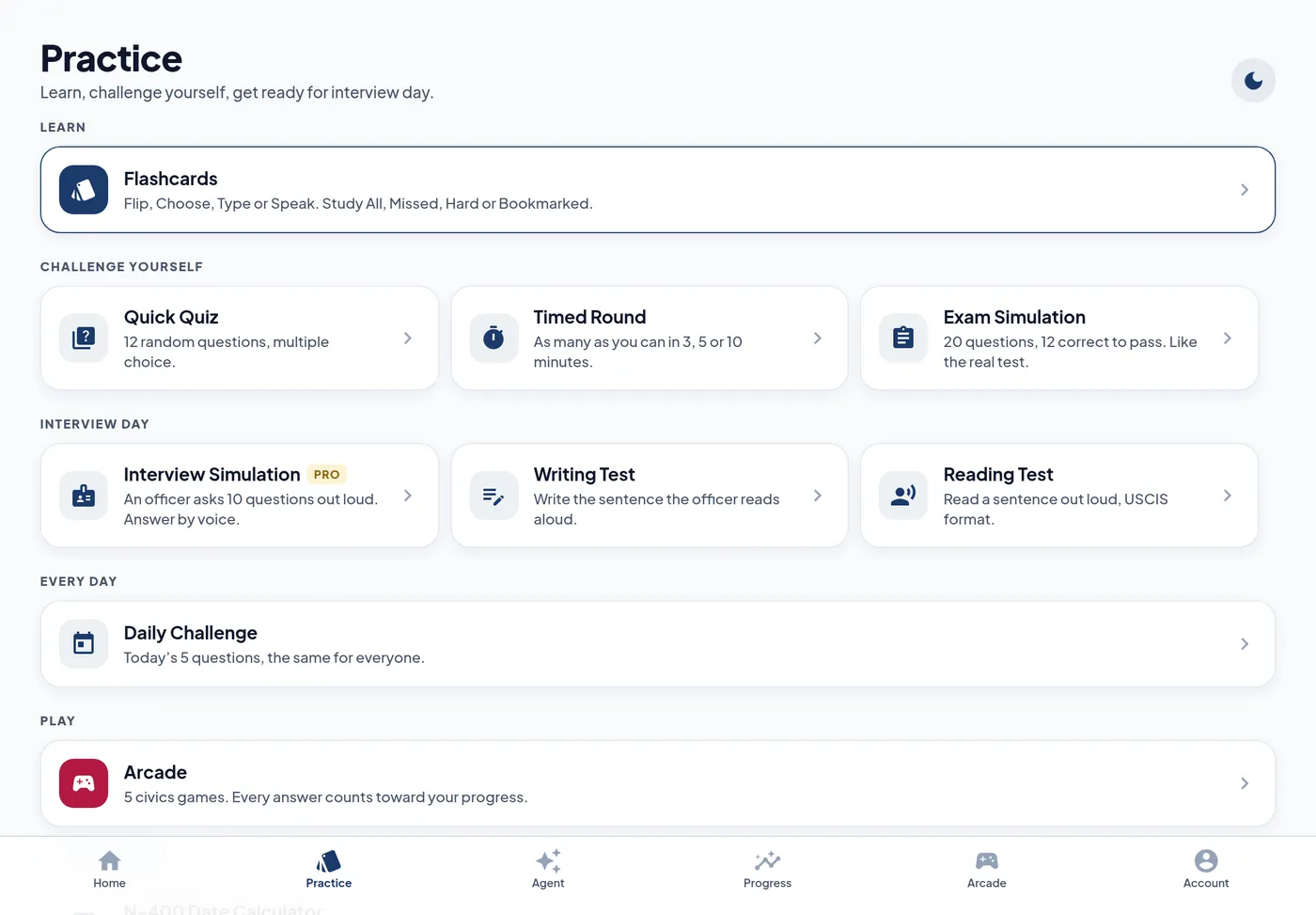
Flip, Choose (multiple choice), Type and Speak. Tap to flip in any style for the answer, a memory tip and a deep dive.
All, Missed, Hard and Bookmarked, plus every category and its subsections.
Hear the question, answer out loud and get an instant result. It waits while you think and catches misheard words.
Free on all 128. Pro adds AI memory tips: a fresh tip on demand, with thumbs up or down to get a better one.
Set your state and the app fills in your senators, representative, governor and capital.
Pick an officer, hear the questions and answer by voice. Every spoken line uses the best voice on your phone, and each officer has their own.
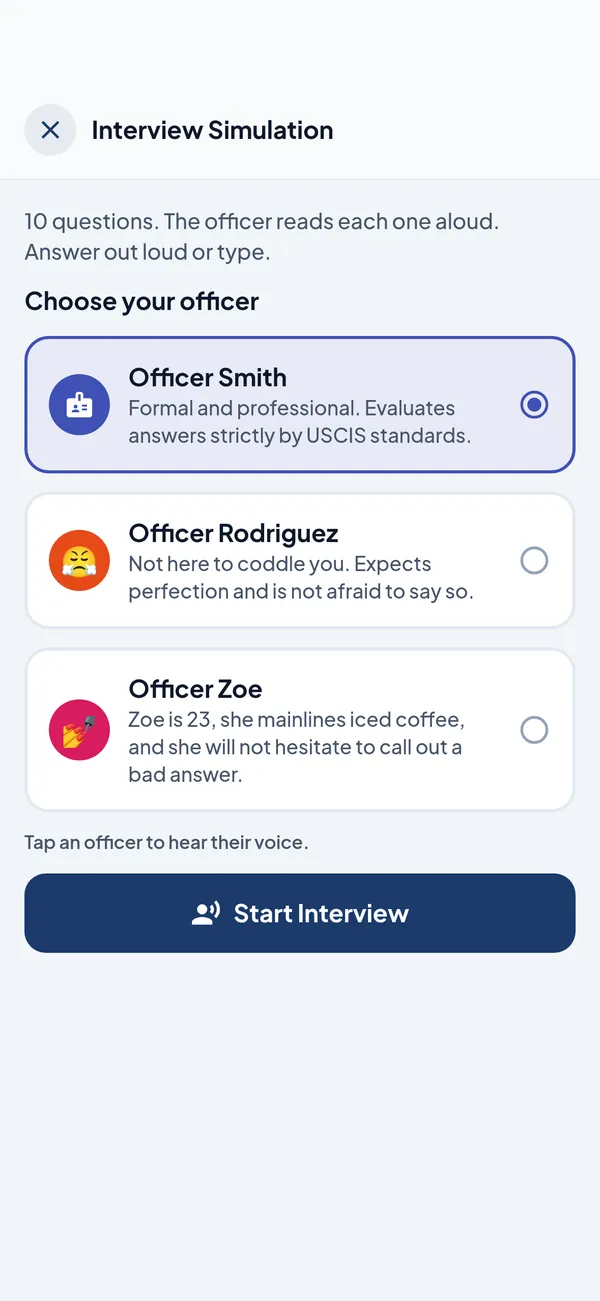
Officer Smith
Formal
Own natural voiceOfficer Rodriguez
Demanding
Own natural voiceOfficer Zoe
Own natural voicePick one of three officers. They ask 10 questions out loud. Answer by voice or typing, and ask the officer a question mid interview.
A hands free spoken conversation. The officer asks, you answer out loud, you hear if you got it right. Say "repeat", "skip" or "stop". No AI credits used.
20 questions, a 10 minute countdown and 12 to pass, in multiple choice, writing or speaking. Like the real test, it ends as soon as you pass or can no longer pass.
Timed Rounds of 3, 5 or 10 minutes, and the same 5 questions for everyone, every day.
The reading and writing tests, sentence by sentence.
Every spoken line uses the best voice on your phone (Enhanced and Premium Apple voices), and each officer has a voice of their own. Tap an officer to hear them say hello.
Readiness and pass chances are estimates, not guarantees.
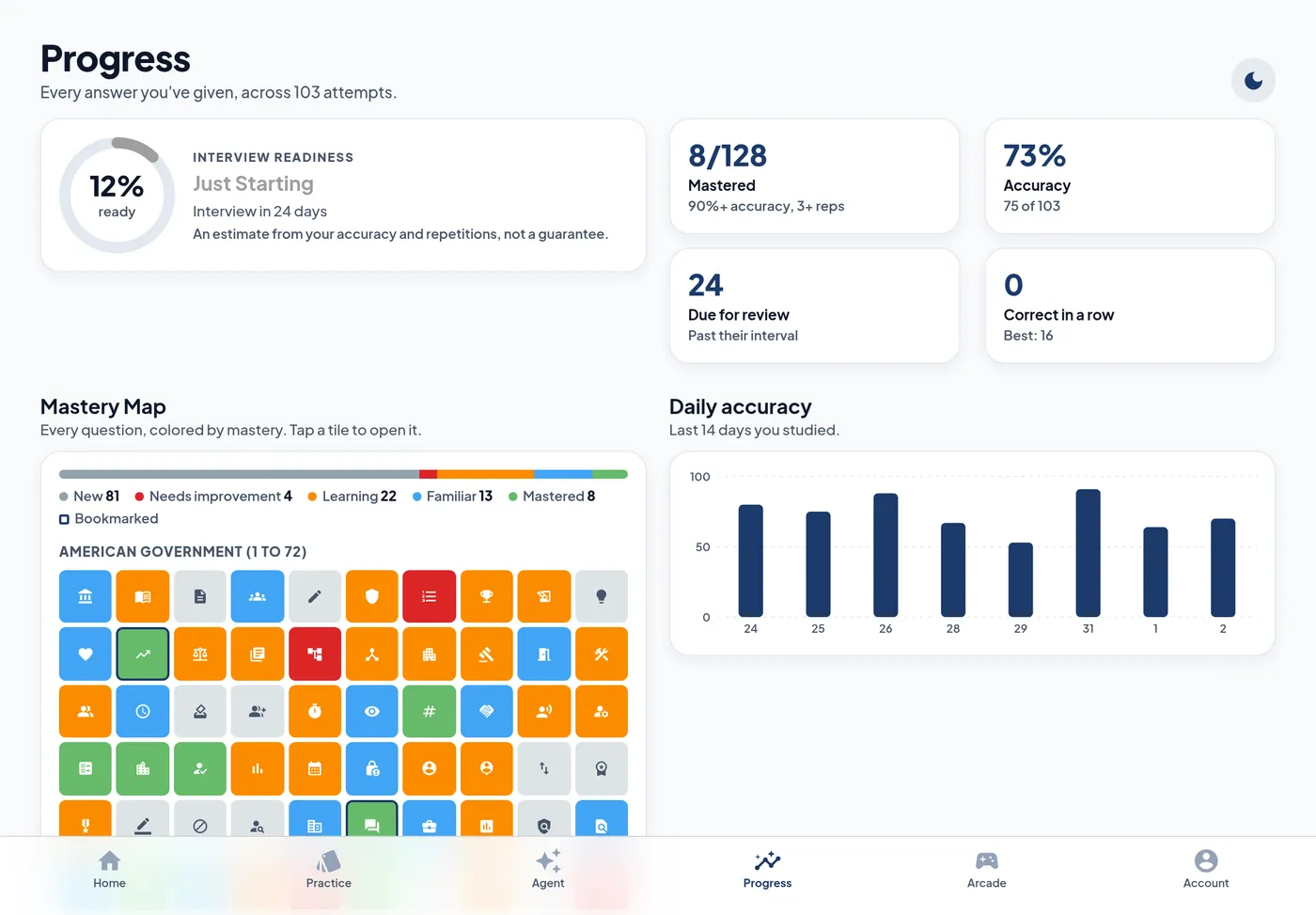
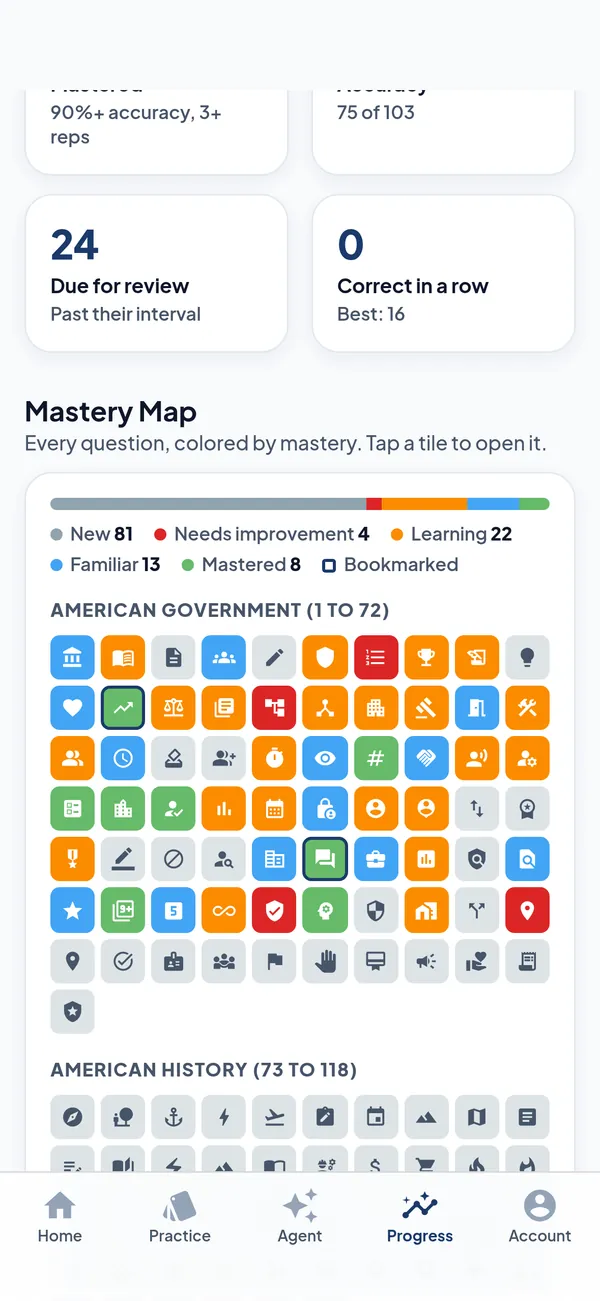
How ready you are, with an estimate of when you will be ready compared with your interview date.
All 128 questions as colored tiles, from new to mastered. Press and hold a tile to peek at the card.
Accuracy over time, a review queue of what is due today, weakest categories, streaks and a personal plan for what to do next.
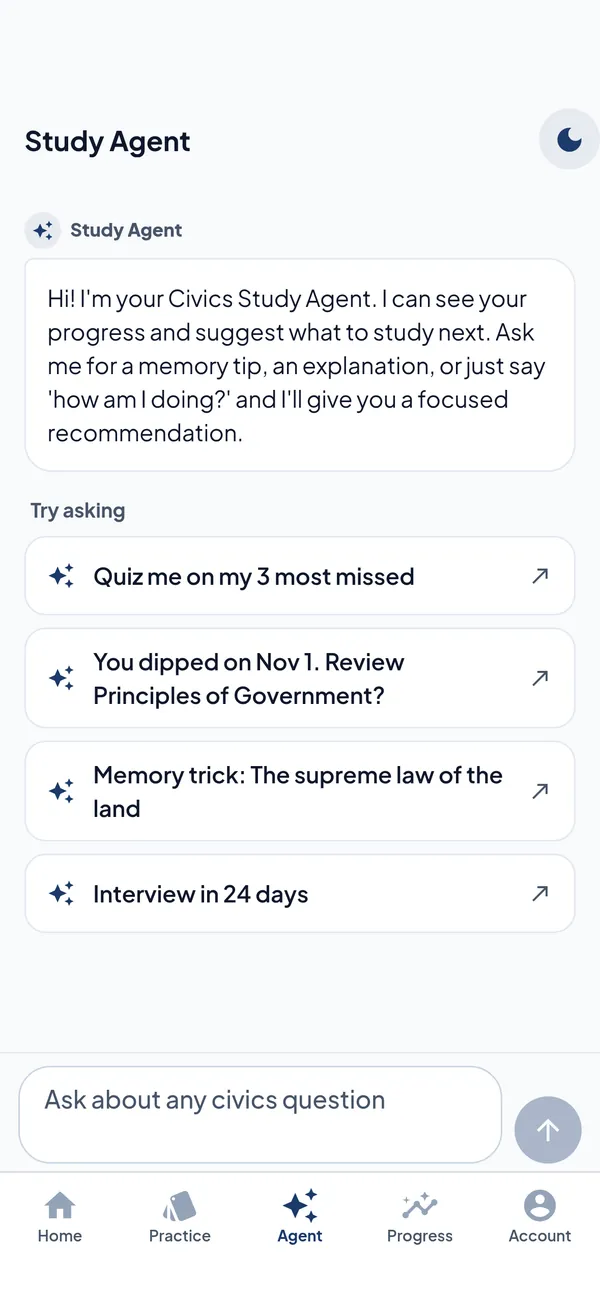
A coach that knows your progress. Type or talk to it out loud. "How am I doing?", "Quiz me on my 3 most missed", "Give me a memory trick".
Filing date, interview date, field office and an N-400 earliest filing date calculator.
A flashcard you flip and answer right on the Home Screen, plus your readiness and streak. Every answer counts toward your progress.
A flashcard, days until your interview (or your streak) in a circle, and a one line countdown above the clock.
A daily nudge at the time you choose, and a streak saver at 8 pm, only on days you have not studied.
Quick actions open straight into practice: the cards due today (or your mistakes), the daily challenge, a voice chat with the Study Agent, and a quick quiz or mock exam.
Flashcards in rounds of 10 on your wrist, your streak and days to the interview, and a watch face complication. Answers on the watch count toward your progress.
Study hands free with Siri. Siri reads the question, listens to your answer, tells you if you got it right and moves on, with the app closed. Everything you answer counts toward your progress on the website and the app.
Say "Hey Siri", then one of the phrases below. Every phrase includes the word CivicsExam.
Siri works with CivicsExam Pro.
“Quiz me on CivicsExam”
A spoken quiz from all questions.
“Ask me ten questions in CivicsExam”
Ten questions, then your score.
“Quiz me on my weak spots in CivicsExam”
A spoken quiz on your weak spots. Swap "weak spots" for another set.
“Quiz me on my mistakes in CivicsExam”
The questions you miss most.
“Give me a mock test in CivicsExam”
Up to 20 questions like the real interview. It ends when you reach 12 right.
During a quiz say "repeat", "skip" or "stop".
On devices with Apple Intelligence, an answer that is right in other words still counts, and Siri tells you the official wording.
“Explain a civics question in CivicsExam”
A short, plain explanation of a question, with the answer.
“Give me a memory trick in CivicsExam”
A memory trick to help an answer stick.
“What should I study in CivicsExam”
Your weakest areas and most missed questions, with answers.
“How am I doing in CivicsExam”
Readiness, mastered, this week vs last week, streak, weakest area, review due and a pass estimate.
“Am I ready for my CivicsExam test”
Your progress report, with a pass estimate.
“Give me my CivicsExam report”
The same report, another way to ask.
Siri can save details of your citizenship journey to your CivicsExam account, shown on the website and in the app. Siri always repeats the detail and asks you to confirm first.
“Tell CivicsExam about me”
Save details about you, one at a time.
“Save my interview date in CivicsExam”
Save or update one detail. Swap "interview date" for another one.
“What's my interview date in CivicsExam”
Hear a detail you saved. Swap "interview date" for another one.
“Who are my senators in CivicsExam”
The answers for the state you set.
“What do you know about me in CivicsExam”
Everything you have saved, read back to you.
Personal details are only read out when the iPhone or iPad is unlocked.
“What can CivicsExam do”
Siri lists the options.
Or open the Shortcuts app and look under CivicsExam.
Settings > Siri > Siri Responses > Prefer Spoken Responses.
Open CivicsExam once after installing or updating. In Settings > Apps > CivicsExam > Siri, turn on "Use with Ask Siri". Sign in with Pro. In the app, Account > Siri lists every phrase.
iPhone or iPad with iOS 16 or later, and CivicsExam Pro. Memory tricks and explanations use Apple Intelligence on the device when available, otherwise built in study content.
In Flashcards, choose Speak to hear each question and answer out loud.
Download a free Premium voice: Settings > Accessibility > Spoken Content > Voices > English, for example Ava or Evan.
Every answer counts toward your progress. Civics Fighter II is free. The other four come with Pro.
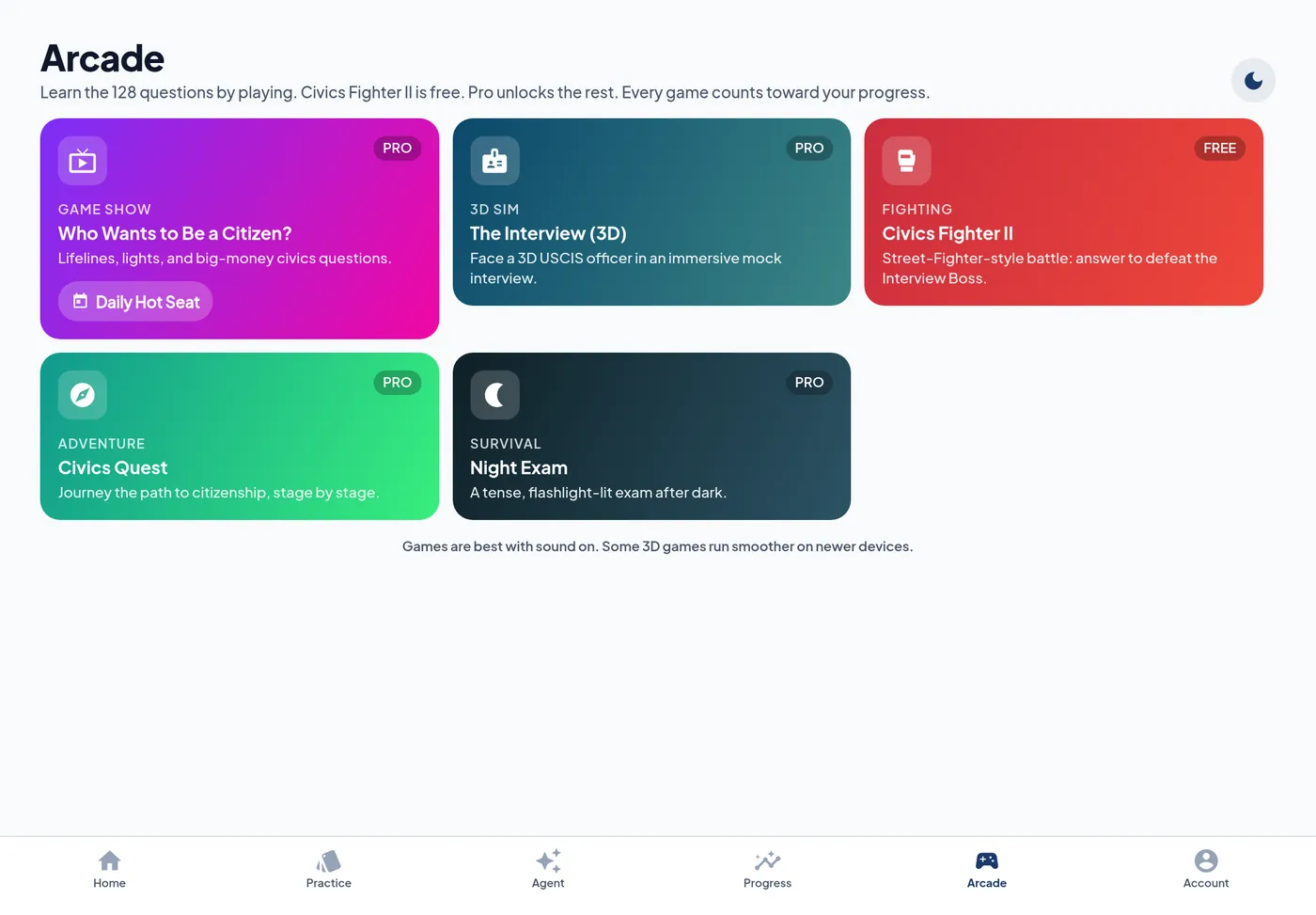
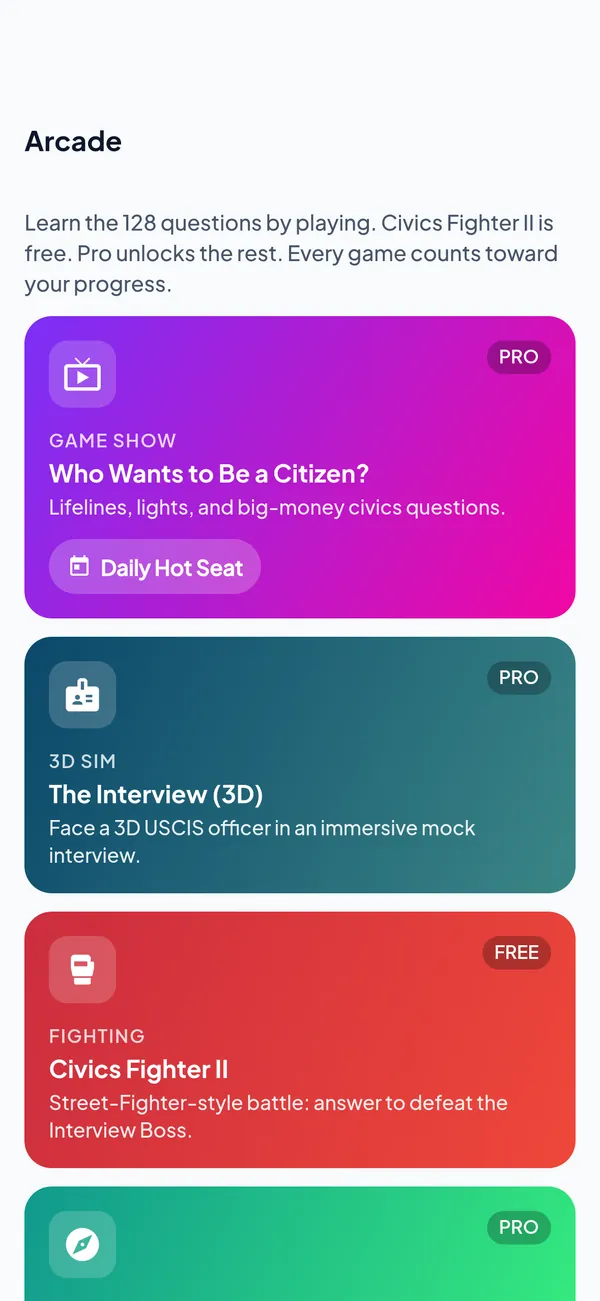
Who Wants to Be a Citizen?
Game show
The Interview
3D
Civics Fighter II
Street fighter style battle
Civics Quest
Adventure
Night Exam
Survival
The layout follows the screen. One column on iPhone and the iPhone Duo cover screen. Two columns on iPad and when iPhone Duo opens.
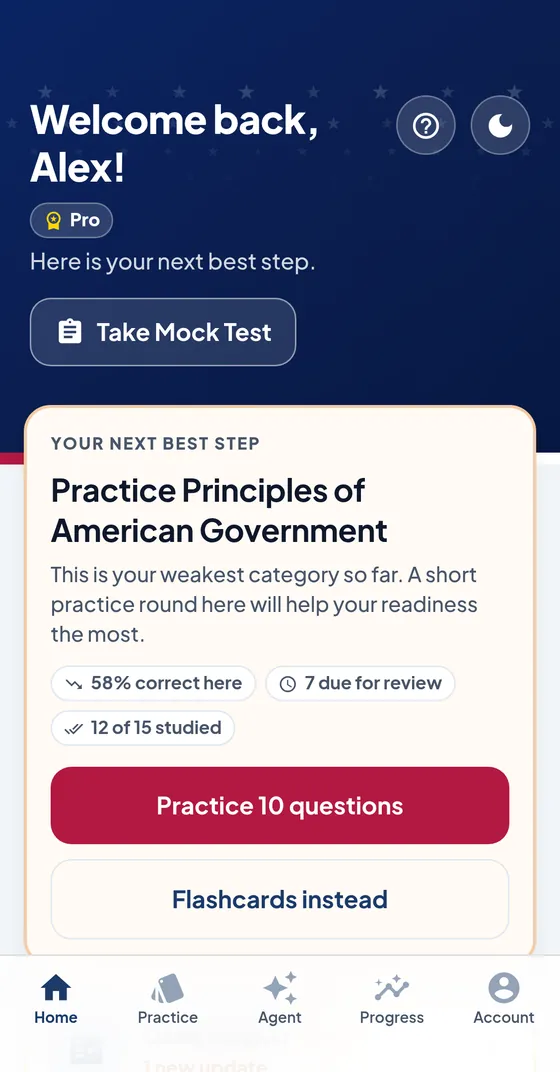
iPhone and the iPhone Duo cover screen. Everything stacks in reading order, with the tab bar under your thumb.
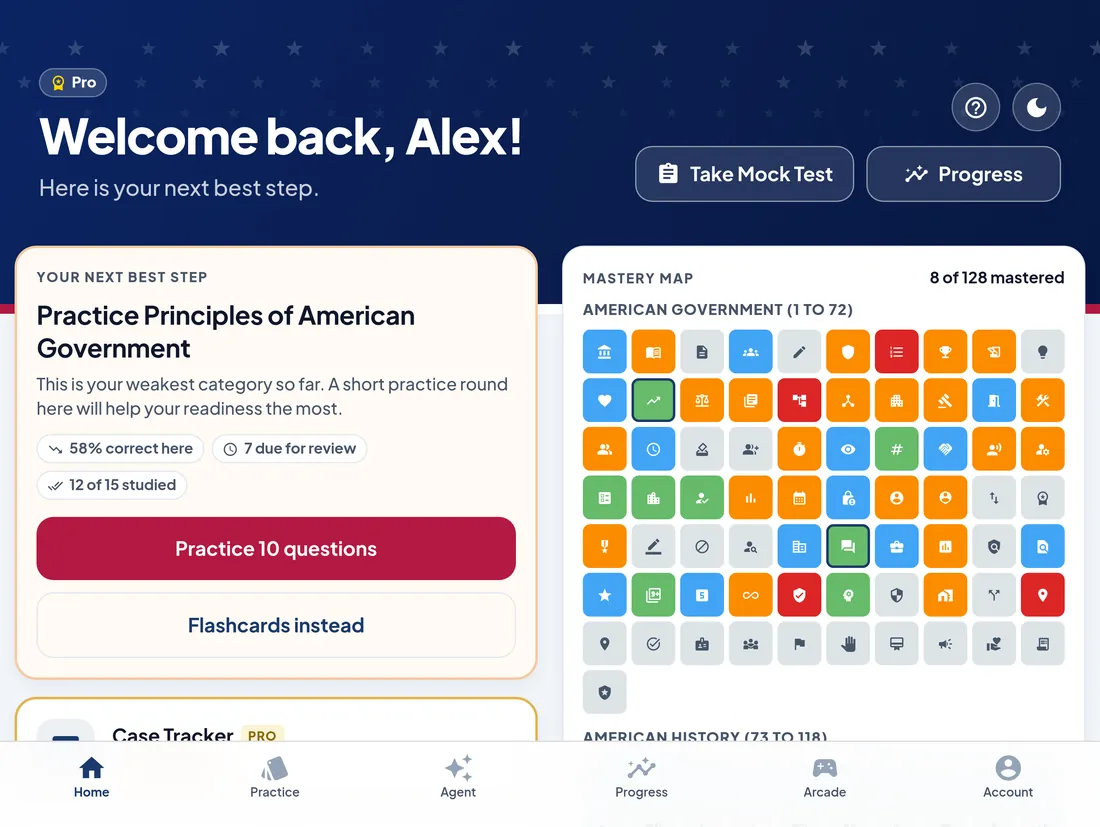
iPad and iPhone Duo open. Your next step sits beside the Mastery Map, and Practice spreads over two columns.
Full screen layouts on the largest iPhones, in light, dark or stars and stripes.
Two column layouts, an Arcade tab of its own and an extra large Question of the Day widget.
Fills the inner display. Closed, the cover screen gets the iPhone layout. Open, it switches to two columns.
Flashcards, your streak and a watch face complication.
One Lifetime purchase covers the family.
An over the top patriotic theme: parchment and a field of stars, a flag stripe on every card, red, white and blue confetti with stars and eagles, and patriotic one liners on your results.
Memory tips, Ask the officer and the Study Agent run on the device itself, private and offline, on iPhones and iPads that support Apple Intelligence.
Siri answers, widgets, reminders, voices and speech recognition all run on the phone.
Siri reads your personal details aloud only when your iPhone or iPad is unlocked. Signing out removes your study data from the widgets and Siri.
"Get help" for account or purchase questions, "Send feedback" for bugs, ideas or answers to check.
CivicsExam Pro is $29.99 one time with Lifetime, or $9.99/month, in the app. Pro bought on civicsexam.com works in the app too.
Free
$0, always free
Pro
$29.99 Lifetime (Best value) or $9.99/month
All 128 flashcards: Flip and Choose, every deck and category
Everything in Free
Memory tips and deep dives on every question
Type and Speak answers with grading
Quick Quiz, Timed Round, Exam Simulation, Daily Challenge
Interview Simulation with 3 officers
Talk it through, English reading and writing tests
Siri: spoken quizzes, mock tests and your details
Readiness, Mastery Map, analytics, N-400 date calculator
Study Agent (AI coach) and AI memory tips
Widgets, reminders, Apple Watch, English and Spanish
Civics Fighter II in the Arcade
The other four Arcade games
Lifetime: Pay once. No renewals. One Lifetime purchase covers the family with Family Sharing.
Lifetime means the lifetime of the product. See Terms.Monthly: You will be charged $9.99 today and every month after that until you cancel.Free to download. Sign in with your CivicsExam account and your progress and Pro come with you.
Download on the App Store